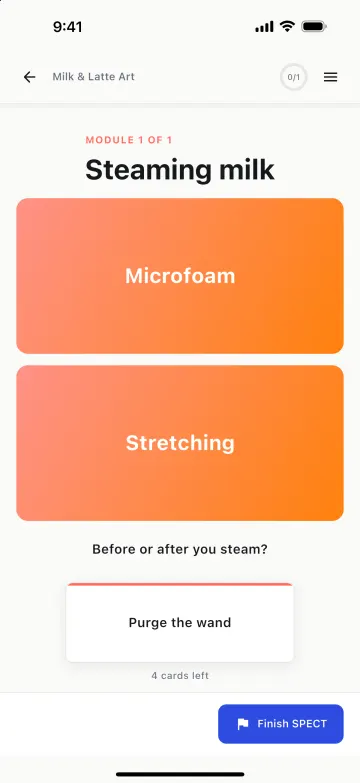
Sorting activity
Learners drag each card onto the right pile.
SPECT turns what you know into interactive training. Stack it from blocks, share it by email, and see every learner's progress and answers in one place.
Free planNo credit cardWeb, iPhone, iPad and Android
Try it
A SPECT module, right here on the page. Answer the check, work through each block, and watch your progress land in the author's analytics.
What learners see
01 Build
Choose from 47 block types in 12 categories and stack them into modules. The canvas shows exactly what learners will see, and every change saves as you type.
Learners drag each card onto the right pile.
Tuck detail away until someone asks for it. Try one.
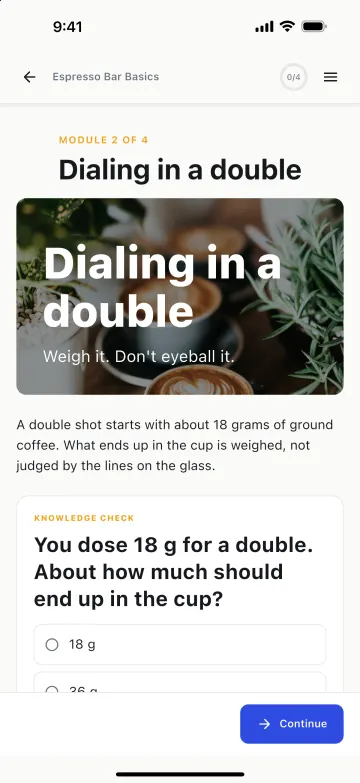
A shorter, more concentrated shot: the same dose, pulled to a smaller yield.
The lines on a glass include crema, so they're a poor guide. Grams don't lie.
Before and after every jug, so no water or milk is left inside.
Steps in order, with a line that fills as you go.
A graded quiz with a pass mark and retakes.
Bars, lines, areas, pies and donuts.
47 block types
Video with captions, audio with narration, galleries, tabs, timelines, labeled graphics, fill in the blank, matching, open response, gates and more.
Pick an accent color, fonts, corners and spacing once. Every block in every module follows, and nothing you wrote is overwritten. Try it here.
03 See how they did
Progress and answers land in each SPECT's analytics as learners work through it. Only you and your admins can see them.
Completion, average progress and who was active this week. Anyone idle for two weeks, or who never started, is flagged as at risk.
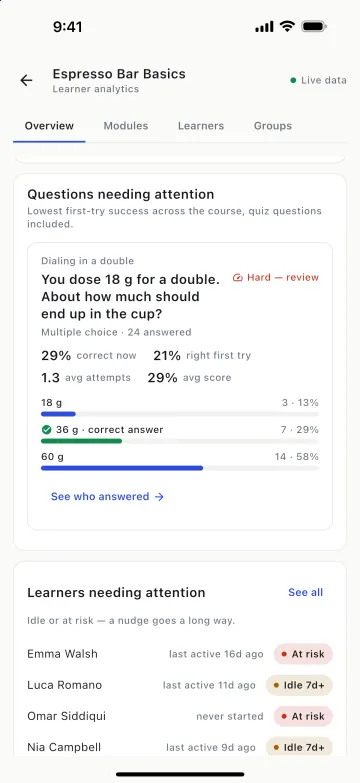
Every question is ranked by how many people got it right on the first try, and the hardest are flagged for review.
Open a question to see the spread across every option, with the right one marked. When most people pick the same wrong answer, you know what to fix.
Open anyone to see each module, each answer they gave and how many attempts it took. Only the owner and admins can see answers.
Split learners into teams that race through a SPECT, with live standings and awards like Top score and First to finish. On paid plans.
Pricing
Every plan includes all 47 block types, hosting, progress tracking and analytics. Plans differ by how many people and how much video they cover.
$0no credit card
Try SPECT with a small group.
Start free plan$50per month
For a trainer and their people.
Choose Creator plan$100per month
For growing teams.
Choose Studio plan$400per month
For training programs at scale.
Choose Academy planUsers means everyone with access to your workspace, counted once each: you, authors, editors, viewers, learners and pending invites. Prices are in US dollars. Paid plans are chosen in the SPECT web app.
FAQ
Something else? Ask us.
A SPECT is one course: a set of modules you build from blocks such as text, images, video, flashcards and knowledge checks. You share it with the people you choose and follow how each of them does.
Yes. You invite people by email. Anyone who already has a SPECT account gets access straight away; everyone else gets an email to create a free account. There are no public links, so only the people you invite can open your SPECT.
Yes. Your plan's user limit counts everyone with access to your workspace, once each: authors, editors, viewers and learners, including you and anyone with a pending invite.
Only the workspace owner and admins. Learners see their own progress, and in Groups they see team totals, never other people's answers.
Yes. SPECT works in any modern browser on a phone, tablet or computer, and there's a SPECT app for iPhone, iPad and Android. Progress follows each learner from one device to the next.
The Free plan costs nothing and needs no credit card. Paid plans are billed monthly in US dollars. You choose or cancel a plan from Plans & billing in the web app.
Yes, from your profile in the app: choose Delete account, enter your password and confirm. Your workspace, your SPECTs and your progress are deleted.
How account deletion worksSplit learners into teams that race through a SPECT, with standings and awards.
See who got each question right or wrong, quiz questions included, and who hasn't answered yet.
Learners write their answer in their own words, up to 500 of them. Only owners and admins can read it.
Free on the web, iPhone, iPad and Android. No credit card needed.